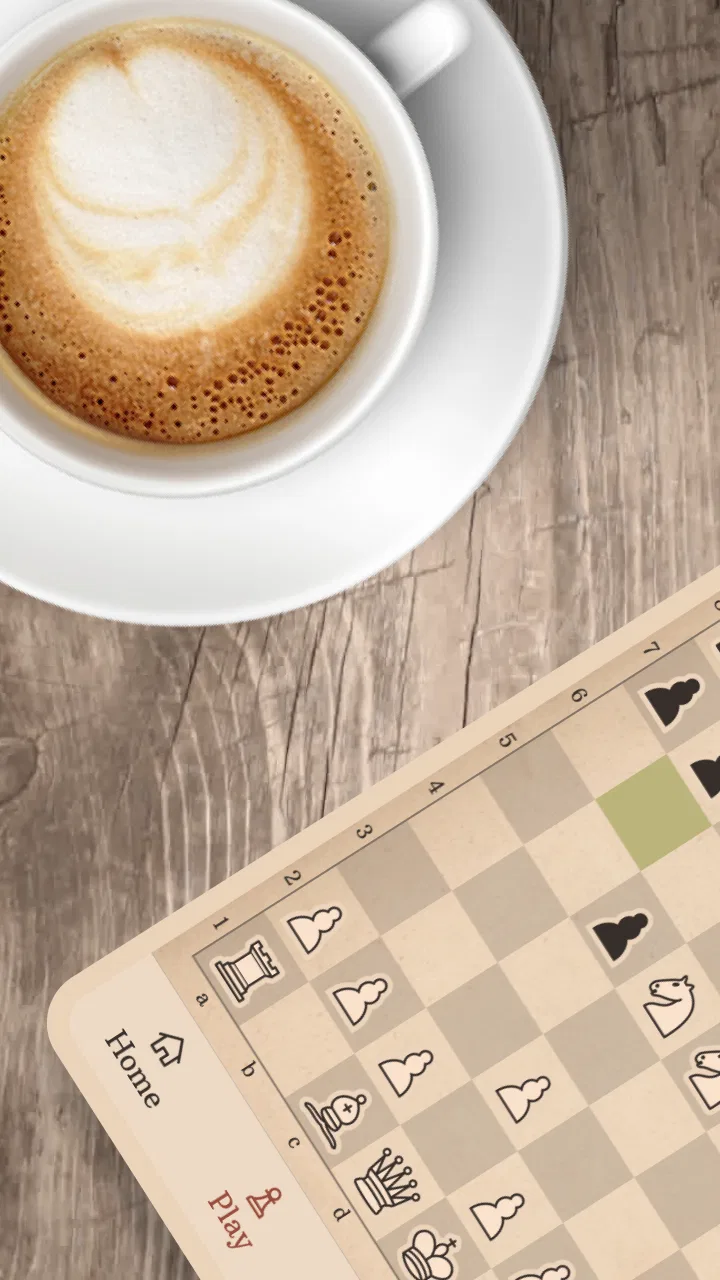
Learn Chess with Dr. Wolf
- 4.6
- Rating
- 10.00M
- Installs
- Free
- Price

 Analysis by App-foxy
I found Learn Chess with Dr. Wolf most useful when I wanted a calm way to study chess rather than jump straight into competitive games. It is a board game from Chess.com, aimed at beginners who need guidance while they learn how pieces move, why a move works, and how to think before touching the next square. The app is free to start, rated for Everyone, and its central idea is simple: a friendly chess coach explains the game as you play.
That focus makes it different from a standard digital board. A regular chess app may give you a board, a clock, and an opponent, then leave you to work out your mistakes. Dr. Wolf is better suited to the player who wants an explanation attached to the move. In my experience, that makes the first few sessions less intimidating, especially if chess notation, tactics, and opening names usually feel like a wall of unfamiliar language.
How clearly the coaching works for different players
I look at how the coaching can serve beginners without assuming every learner needs the same pace or kind of explanation. A useful next step is to consider what changes when that guidance is applied to an actual position, especially for someone who is still building confidence in reading the board.
You May Also Like

 Pandora - Music & Podcasts
Pandora’s Music Is Easy to Start, but Harder to Recover
Pandora’s strength is its low-effort path from a seed to a station. Its weak spot is how much confidence it asks you to place in connection, setup, and quiet recovery.

 AccuWeather: Weather Radar
AccuWeather Review: A Quick, Clear Forecast for Everyday Decisions
For everyday plans, the best forecast is the one you can understand quickly. AccuWeather makes rain timing, radar, and local conditions easy to act on, with a few trade-offs.

 Hill Climb Racing
Why Hill Climb Racing Still Turns Crashes Into One More Run
A tiny car, a bumpy hill and one more upgrade: Hill Climb Racing keeps resurfacing because its simple chaos makes every near-miss feel personal.

 AliExpress - Shopping App
AliExpress Makes Global Shopping Feel Personal, but Shoppers Bear the Risk
AliExpress turns a global marketplace into a pocket-sized discovery engine. Its reach is useful, its shopping loop compelling, and its trade-offs easy to miss.

 Lords Mobile: Kingdom Wars
Lords Mobile Is a Kingdom-Building Routine, Not a Quick Match
A case-by-case verdict on the building, battles, device demands, and social commitments that make Lords Mobile rewarding for some players and exhausting for others.

 PDF Scanner app - TapScanner
TapScanner Makes Paperwork Easier to Capture, Check, and Share
TapScanner makes scanning with a phone feel less like a rescue operation and more like a dependable step in getting work done. Its capture tools are useful, though not flawless.
More From Our News Desk
View All News


A readable starting point for beginners
The strongest part of the experience is the way it keeps the board and the lesson connected. Instead of forcing a new player to study a separate theory screen and then remember it during a game, the coaching approach lets the position provide the context. I can concentrate on the pieces in front of me, make a decision, and use the response to understand what I missed.
That is important for people who learn by doing. Chess rules can be read in a few minutes, but recognizing a threatened piece or noticing a simple tactical idea takes practice. Dr. Wolf gives that practice a more conversational feel than a bare rules reference. I would recommend it to someone who knows how the pieces move but still loses material because the board feels visually busy.
Navigation is also less demanding when the app keeps the learning task focused. A beginner does not need to choose between a large collection of modes before understanding the basics. The experience is built around learning to play and improve, so the next action generally feels more obvious than it does in a feature-heavy chess platform.
There is a useful distinction here between learning support and entertainment. If I only want to pass time with a quick puzzle, a puzzle-first app may get me into a challenge faster. If I want to understand why I keep making the same mistake, this app has a clearer purpose. Its value comes from the coaching relationship, not from offering every possible chess activity in one place.
What the interface asks from your attention
Chess itself is visually dense. A player must track eight ranks and eight files, distinguish pieces, remember whose turn it is, and compare possible moves. No interface can remove that mental workload without changing the game. What this app can do is make the learning path less confusing, and that is where it earns its place.
I found it easier to stay engaged when I treated each position as one question rather than trying to calculate an entire game. That is a practical way to use the app: pause before moving, identify what the opponent threatens, and only then search for a response. The coaching format works best when I use it to build a repeatable thought process instead of rushing through moves to see what happens.
Players with limited chess vocabulary may appreciate that they can learn concepts through the position rather than memorizing terminology first. On the other hand, experienced players who already understand tactical patterns may find the guided explanations slow. The same structure that reassures a newcomer can feel restrictive to someone who wants to analyze independently.
Motor and sensory considerations during play
From a motor perspective, chess is relatively gentle because the main interaction is selecting and moving pieces. That can make the app approachable for people who prefer short taps over fast, continuous controls. It is not built around reflexes in the way an action game is, and the learning purpose reduces the pressure to react instantly.
That does not mean every player will find it effortless. Accurate piece selection still matters, and a small phone screen can make a crowded position harder to handle. Someone with reduced precision may prefer a larger device, landscape orientation if comfortable, or a setup that lets them keep the board stable on a table. Those are simple changes, but they can make the difference between thinking about chess and fighting the screen.
Chess also places a substantial demand on vision and visual memory. Players who have difficulty distinguishing pieces, squares, or board colors should test the app on their own device before committing to a long study routine. I would not assume that a beginner-focused design automatically solves contrast, scaling, or visual fatigue issues. A clear board at one size may be much less comfortable on another display.
For sensory-sensitive users, the slower coaching style may be preferable to a competitive chess environment filled with clocks, opponent pressure, and rapid decisions. Still, the board remains the center of attention, so anyone who becomes tired from prolonged visual concentration should use short sessions. Ten focused minutes can be more productive than continuing after the position has stopped making sense.
Making it work in ordinary situations
The app fits naturally into small gaps in the day. I can imagine using it during a quiet break, on a sofa after work, or while waiting somewhere with enough privacy to concentrate. A beginner does not need to arrange a physical board or find another person who already knows chess. That convenience is one of the practical advantages over learning only with a traditional set.
A realistic routine would be to complete one guided section, replay the moment where a mistake happened, and then stop. That workflow is better than opening the app without a goal and tapping through moves until attention fades. The coaching is most valuable when I turn an explanation into one habit, such as checking attacked pieces before starting an attack of my own.
Short sessions also help people whose schedule or energy changes from day to day. On a focused day, the app can support deliberate practice. On a tired day, it can still provide a gentle refresher without demanding a full tournament-style game. I would not use it as background entertainment, though. Chess learning needs attention, and the app cannot do the thinking for me.
For families, the Everyone rating makes the app broadly suitable as a beginner learning option. A parent or teacher could use it as a starting point before introducing a physical board or games against another person. The important expectation is that it teaches chess through guided interaction; it is not a substitute for every kind of social or competitive play.
Where it differs from familiar alternatives
The usual alternative is a physical chess set and a book or video lesson. That combination can be excellent, particularly for learners who remember information better when they can handle real pieces or watch a complete demonstration. The drawback is that feedback is not immediate. A book can explain a principle, but it cannot respond to the exact move I just made.
A general online chess platform offers a different advantage: live opponents, ratings, large communities, and many formats. That is the better choice when my main goal is competition or measuring progress against other people. It can also be overwhelming for a first-time player, because the number of choices may distract from basic board awareness.
Puzzle apps are stronger when I want concentrated tactical repetition. They can sharpen pattern recognition quickly, but they often present chess as a sequence of problems rather than a complete conversation between opening, middlegame, and endgame decisions. Dr. Wolf is more appropriate when I need a bridge from rules to practical play.
The trade-off is depth and freedom. A specialist analysis board gives a serious player more control over variations, while a physical set encourages discussion and shared play. I would choose Dr. Wolf first for structured beginner coaching, then add those alternatives as my needs grow. It works best as a foundation, not necessarily as the only chess tool someone will ever need.
Small workflows that make the coaching more useful
One effective habit is to name the danger before looking for a clever move. I ask myself whether one of my pieces is attacked, whether my king is exposed, and whether the opponent has a forcing check or capture. This turns the app’s guidance into a checklist I can carry into games elsewhere. It is a more lasting benefit than simply remembering one isolated lesson.
Another useful approach is to resist restarting immediately after a mistake. I get more from staying with the position and working out what changed. Was a piece left undefended? Did I move the same piece too many times? Did I ignore development while chasing a pawn? The coaching becomes much more valuable when I use the error to identify a recurring pattern.
I also recommend separating recognition from calculation. First, I look at the whole board and identify obvious threats. Then I compare a small number of candidate moves. Beginners often calculate too many imaginary lines while missing a piece that can be taken immediately. A guided app like this is a good place to practice disciplined thinking because the stakes are low and the feedback is close to the decision.
These workflows reveal a limitation as well. No coach can guarantee that an explanation will transfer automatically to a game against a person. After using the app, I would deliberately play slow games elsewhere or set up the same kind of position on a physical board. Without that second step, it is easy to feel that I understand a concept while still overlooking it under pressure.
What the free model means in practice
The game is free, which makes it easy to try without treating the first session as a financial commitment. There are in-app purchases ranging from $4.99 to $39.99 per item, so I would inspect what is included before paying and decide whether the available coaching already matches my needs. A beginner should not assume that spending more automatically replaces regular practice.
The free entry point is particularly helpful for families, students, and curious players who are unsure whether chess will hold their attention. I would spend enough time learning the basic interaction and completing a few focused sessions before considering an upgrade. The right question is not whether extra material exists, but whether I am actually using the current lessons consistently.
People who dislike recurring digital purchases or prefer a one-time book may feel more comfortable with traditional resources. Players who want a broad competitive ecosystem may also prefer a larger chess service from the beginning. The app’s value depends on wanting an instructor-like learning experience rather than simply wanting access to a board.
Device expectations and practical setup
The app runs on Android devices using at least version 5.0, and its current version is 1.55.0. That gives it a wide technical reach, although the quality of the experience will still depend on screen size, touch accuracy, and how comfortably I can see the board. Chess is one of those games where a device that feels fine for messaging may feel cramped during analysis.
I would set the phone on a steady surface rather than holding it loosely during a serious lesson. That reduces accidental taps and lets me keep my attention on the position. If I am helping a child or another new player, I would also sit beside them for the first session, not to give answers, but to explain how to pause and think before accepting guidance.
Because the app is designed around coaching, it is worth using headphones only if spoken or instructional audio feels comfortable in the surrounding environment. In a shared space, visual concentration may be easier than trying to follow explanations over background noise. The best setup is the one that leaves enough mental space for the board, not the one with the most accessories.
Who will benefit most, and who should skip it
I would recommend it to a complete beginner, someone returning to chess after years away, or a player who knows the rules but cannot yet explain their own mistakes. It is also a sensible choice for a person who feels uncomfortable entering live games with strangers. The guided format lowers the social pressure and gives room to build confidence privately.
It may suit learners who need repetition without embarrassment. Making the same error against a coach-like system is less stressful than losing quickly in a timed game, and that emotional difference matters. A player who is anxious about being judged can focus on the position instead of worrying about a public result.
I would skip it as a primary choice if my goal is blitz competition, tournament preparation, deep engine analysis, or a large social chess community. It is also not the best fit for someone who already studies advanced openings and wants complete control over every variation. In those situations, a competitive platform, analysis tool, coach, or physical study method may be more appropriate.
There is a middle group for whom the decision depends on patience. If I become frustrated whenever an app explains a move instead of letting me experiment freely, I may prefer an open board. If I enjoy a guided path but want to move quickly, I should treat the coaching as a supplement and combine it with independent games rather than expecting it to cover every stage of development.
My inclusive verdict after using it
Chess can feel exclusive when the first lesson assumes that everyone already understands notation, tactics, or the etiquette of playing another person. Dr. Wolf makes a genuine effort to soften that entry point by placing instruction alongside the board. That is its clearest strength, especially for people who need reassurance and immediate context.
Its accessibility is practical rather than universal. The low-pressure interaction and relatively simple motor demands can help many beginners, but visual board reading, touch precision, concentration, and device size remain real considerations. I would encourage anyone with specific sensory or motor needs to judge the app on their own phone and use short sessions to see whether the board remains comfortable.
Chess.com has made a beginner-focused game that feels most valuable when I use it deliberately: one lesson, one mistake, one habit to carry forward. Its 4.6 average from around 74 thousand ratings and more than 10 million installs suggest that it has reached a substantial audience, but those figures do not decide whether it suits a particular learner. The important question is whether I want patient guidance more than competition.
For me, the answer is yes when I am starting from uncertainty or helping someone else take the first steps. The free price makes experimentation easy, the Everyone rating keeps the audience broad, and the coaching approach gives the board a clearer purpose than a blank chess screen. I would not present it as a complete replacement for live play, physical practice, or advanced analysis. I would recommend it as a welcoming first coach, especially for the player who wants to understand not only which move to make, but how to begin seeing the board for themselves.
FAQs for Learn Chess with Dr. Wolf
01What is Learn Chess with Dr. Wolf, and who is it suitable for?
Learn Chess with Dr. Wolf is an interactive chess-training app designed to teach beginners and developing players how to play and improve. Its virtual coach explains moves, points out mistakes, and provides guidance during practice games. It is especially suitable for users who want a friendly introduction to chess rather than a highly technical platform aimed only at advanced tournament players.
02Does Learn Chess with Dr. Wolf teach chess from the beginning?
Yes. The app is built to help beginners understand the fundamentals, including how each piece moves, basic tactics, check, checkmate, and general game principles. Dr. Wolf provides explanations while you play, so the learning process feels more practical than simply reading instructions. Players with some experience can also benefit from feedback on recurring mistakes and weak decisions.
03Can I play games against the app without another person?
Yes, Learn Chess with Dr. Wolf allows you to play against its computer coach, making it useful when you do not have a friend or chess partner available. The app combines gameplay with instruction, explaining important moments and offering advice. Difficulty and learning progression may vary depending on the version and subscription, so checking the current app listing is recommended.
04Is Learn Chess with Dr. Wolf free to download and use?
The app can generally be downloaded at no initial cost, but some lessons, coaching features, or extended access may require an in-app purchase or subscription. Before downloading, review the store page for the current pricing, trial conditions, and renewal details. If a free trial is offered, remember to check its cancellation terms to avoid an unexpected charge.
05Does the app require an internet connection, and is it available on Android or iOS?
Learn Chess with Dr. Wolf is primarily distributed as a mobile app for supported iOS and Android devices, although availability can depend on your country and operating-system version. Certain features may work offline after installation, while account services, updates, purchases, or synchronized progress can require internet access. Always confirm device compatibility and permissions on the official store page before installing.
Pros
- Clear explanations make chess rules easy for beginners to understand.
- Dr. Wolf provides helpful hints when you make a mistake.
- Lessons gradually introduce tactics
- strategy
- and common chess patterns.
- Interactive practice keeps learning more engaging than reading a chess book.
- Suitable for short practice sessions on phones and tablets.
Cons
- Advanced players may find the lessons too basic after learning the fundamentals.
- Some useful lessons and features require an in-app purchase.
- The coach’s commentary can feel repetitive during longer practice sessions.
- Limited variety may reduce replay value for experienced chess players.
- An internet connection may be needed for certain content or features.

Learn Chess with Dr. Wolf
Gallery